
ARM Raspberry Pi commitment
-
technosaurus

- Posts: 4853
- Joined: Mon 19 May 2008, 01:24
- Location: Blue Springs, MO
- Contact:
I never saw anything about rca out, but many older/cheaper TVs have an rca input but no hdmi ... the big issue there would be fixing the various GUIs to work at such a low resolution.
Check out my [url=https://github.com/technosaurus]github repositories[/url]. I may eventually get around to updating my [url=http://bashismal.blogspot.com]blogspot[/url].

You can get a similar thing here in Oz http://www.ebay.com.au/itm/DGTEC-NEW-DG ... 415ed008f3stu90 wrote:Sounds pretty cool - could have it hooked up to a HDTV with a nice looking Conky Lua with weather, time, RSS and use it as a internet radio player or big picture frame etc.
Wonder if you could use one of these with it?
http://www.ebay.co.uk/itm/Rii-Mini-i6-2 ... 3f0d68e038
-
technosaurus
- Posts: 4853
- Joined: Mon 19 May 2008, 01:24
- Location: Blue Springs, MO
- Contact:
rob's tools may be helpful to bootstrap a build environment
http://landley.net/code/aboriginal/down ... 6l.tar.bz2
http://landley.net/code/aboriginal/down ... 6l.tar.bz2
http://landley.net/code/aboriginal/down ... 6l.tar.bz2
http://landley.net/code/aboriginal/down ... 6l.tar.bz2
http://landley.net/code/aboriginal/down ... 6l.tar.bz2
http://landley.net/code/aboriginal/down ... .gz-armv6l
http://landley.net/code/aboriginal/down ... 6l.tar.bz2
http://landley.net/code/aboriginal/down ... 6l.tar.bz2
http://landley.net/code/aboriginal/down ... 6l.tar.bz2
http://landley.net/code/aboriginal/down ... 6l.tar.bz2
http://landley.net/code/aboriginal/down ... 6l.tar.bz2
http://landley.net/code/aboriginal/down ... .gz-armv6l
Check out my [url=https://github.com/technosaurus]github repositories[/url]. I may eventually get around to updating my [url=http://bashismal.blogspot.com]blogspot[/url].

according to the wiki your all good.technosaurus wrote:I never saw anything about rca out, but many older/cheaper TVs have an rca input but no hdmi ... the big issue there would be fixing the various GUIs to work at such a low resolution.
http://elinux.org/RaspberryPiBoard#Disp ... ut_Options
VGA monitors are the big no no

I followed a link at the raspberry site and found this....
It appears that someone with knowledge of machine code
will have to write a bootmanager.
_______________________________
Code: Select all
BootRom

The boards do not include NAND or NOR storage - everything is on the
SD card, which has a FAT32 partition with GPU firmware and a kernel
image, and an EXT2 partition with the rootfs.

We're not currently using a bootloader - we actually boot via the GPU,
 which contains a proprietary RISC core (wacky architecture ;) .
The GPU mounts the SD card, loads GPU firmware and brings up
 display/video/3d, loads a kernel image, resets the SD card host
and starts the ARM.

You could replace the kernel image with a bootloader image, and that
 would work fine.
will have to write a bootmanager.
_______________________________
-
technosaurus
- Posts: 4853
- Joined: Mon 19 May 2008, 01:24
- Location: Blue Springs, MO
- Contact:
There are plenty of ARM bootloaders already, but why bother if you don't plan to run multiple distros... unless you just like waiting for extra stuff to load so you can reminisce about your blissful windows days.
Check out my [url=https://github.com/technosaurus]github repositories[/url]. I may eventually get around to updating my [url=http://bashismal.blogspot.com]blogspot[/url].
-
sickgut

- Posts: 1156
- Joined: Tue 23 Mar 2010, 19:11
- Location: Tasmania, Australia in the mountains.
- Contact:
there are plenty of android tablets out there that boot from a sdhc card slot when you wanna run linux, the BIOS just knows to try to boot from the sdhc card if its inserted, before it boots off the internal storage. There is no bootloader required on the sdhc card to get it to work, it boot from a FAT32 partition and then the root fs is either contained within a file or covers the rest of the sdhc card as a ext2 partition.
Im posting this info because this is very similar to how the raspberry behaves, i dont know if these android tablets are booting from a GPU tho. No bootloaders required anyway....
Im posting this info because this is very similar to how the raspberry behaves, i dont know if these android tablets are booting from a GPU tho. No bootloaders required anyway....
I've heard that those Androids that boot from a Smartphone or
from a Tablet that have GPRS on it first boot up the radio cirquit
and then it boots the ordinary software that we are used to.
The code for booting the radio is proprietary and if you don't
boot the radio then you fail to boot the linux code too.
But that is only my poor recollection of somethign that was way
over my head. But it is worth looking into.
It at least apply to most tablets with sim cards and GPRS in them
unless them are built in a different way. Maybe them are.
But most such things most likely need to be jailbreaked first?
Unless one can do as some smartphones. One are told how to
cold start them like the repair person does it to load new software
into them. But then one must find somebody that know such for
each model. What buttons to hold down and exactly what to do next.
from a Tablet that have GPRS on it first boot up the radio cirquit
and then it boots the ordinary software that we are used to.
The code for booting the radio is proprietary and if you don't
boot the radio then you fail to boot the linux code too.
But that is only my poor recollection of somethign that was way
over my head. But it is worth looking into.
It at least apply to most tablets with sim cards and GPRS in them
unless them are built in a different way. Maybe them are.
But most such things most likely need to be jailbreaked first?
Unless one can do as some smartphones. One are told how to
cold start them like the repair person does it to load new software
into them. But then one must find somebody that know such for
each model. What buttons to hold down and exactly what to do next.
I use Google Search on Puppy Forum
not an ideal solution though
not an ideal solution though
-
Lobster

- Official Crustacean
- Posts: 15522
- Joined: Wed 04 May 2005, 06:06
- Location: Paradox Realm
- Contact:
Some ideas
http://youtu.be/OIRox_x-LUo
Some tools
http://www.learn-c.com/
Personally I think I might have to finally develop ASQ . . .
http://peace.wikia.com/wiki/ASQ
What is your planned project?
http://youtu.be/OIRox_x-LUo
Some tools
http://www.learn-c.com/
Personally I think I might have to finally develop ASQ . . .
http://peace.wikia.com/wiki/ASQ
What is your planned project?


-
sickgut
- Posts: 1156
- Joined: Tue 23 Mar 2010, 19:11
- Location: Tasmania, Australia in the mountains.
- Contact:
I am worried about the HDMI only output that the raspberry uses for its display....
I have no hdmi capable TV or Monitor........
Maybe there are others like me. If i can find a HDMI to normal VGA convertor or svideo or video rca lead the kind an old home dvd or vhs player has, then maybe we can post here a link to an online store that sells these.
right now, if i had a raspberry... i wouldnt be able to use it....
ill scan the raspberry site to see if the hdmi to vga adaptor is an option or if they recommend any particular connector... maybe a usb capture device with hdmi input will be enough for users to see stuff on their laptop screen or desktop screen while running......
I have no hdmi capable TV or Monitor........
Maybe there are others like me. If i can find a HDMI to normal VGA convertor or svideo or video rca lead the kind an old home dvd or vhs player has, then maybe we can post here a link to an online store that sells these.
right now, if i had a raspberry... i wouldnt be able to use it....
ill scan the raspberry site to see if the hdmi to vga adaptor is an option or if they recommend any particular connector... maybe a usb capture device with hdmi input will be enough for users to see stuff on their laptop screen or desktop screen while running......

ooops
Bionicpup64 built with bionic beaver packages http://murga-linux.com/puppy/viewtopic.php?t=114311
Xenialpup64, built with xenial xerus packages http://murga-linux.com/puppy/viewtopic.php?t=107331
Xenialpup64, built with xenial xerus packages http://murga-linux.com/puppy/viewtopic.php?t=107331
-
technosaurus
- Posts: 4853
- Joined: Mon 19 May 2008, 01:24
- Location: Blue Springs, MO
- Contact:
Max resolution for the composite video is 720x576 pal(eu) or 720x480 ntsc(us)
This is aka RCA or "yellow plug"
I suspect many standard televisions won't support the max though... need to figure out what "standard" tv resolution is. In the mean time it would be a good idea to fix various apps to work in 640x480x16
http://en.wikipedia.org/wiki/List_of_video_connectors
This is aka RCA or "yellow plug"
I suspect many standard televisions won't support the max though... need to figure out what "standard" tv resolution is. In the mean time it would be a good idea to fix various apps to work in 640x480x16
http://en.wikipedia.org/wiki/List_of_video_connectors
Last edited by technosaurus on Sat 05 Nov 2011, 17:15, edited 1 time in total.
Check out my [url=https://github.com/technosaurus]github repositories[/url]. I may eventually get around to updating my [url=http://bashismal.blogspot.com]blogspot[/url].
Been over there trying to figure that one out myself. IIRC I figured out a way to output video at base VGA using 74xx chips and a resistor ladder, but it would cost more than the Pi itself and you'd only get 640x480. You'd also be limited to CRT monitors built in the 1990's -- the kind of monitors that could genuinely deal with a fixed resolution like that!
Oh, right, and you'd be soldering for a couple /days/... hope you like lead fumes
So I threw out the partial schematic. Good for starting the woodstove, but not much else, lol. I could do higher resolutions if someone wanted to tell me of a very inexpensive source of 74xx chips rated to be at least twice as fast (more is better here) than a standard 74HCxx.
Problem in a nutshell is this: the SoC (System On Chip, sorta like a CPU that does everything else as well) that they picked out has no analog video output whatsoever. So yes you can convert the /connectors/ from HDMI->DVI->VGA but you're still going to be just as stuck -- and you'll have wasted between $7 and $10 to boot!
AFAIK (and believe me, I've tried to think of everything else!) the ONLY way to get analog video (VGA, DVI-A, etc.) is using a "scan converter" that costs more than the Pi -- you'll shell out at least $30 for the converter, and the Pi is supposed to cost $25 (well, they do have a $35 option with twice the RAM... but I'm not sure that counts).
Oh, right, and you'd be soldering for a couple /days/... hope you like lead fumes
So I threw out the partial schematic. Good for starting the woodstove, but not much else, lol. I could do higher resolutions if someone wanted to tell me of a very inexpensive source of 74xx chips rated to be at least twice as fast (more is better here) than a standard 74HCxx.
Problem in a nutshell is this: the SoC (System On Chip, sorta like a CPU that does everything else as well) that they picked out has no analog video output whatsoever. So yes you can convert the /connectors/ from HDMI->DVI->VGA but you're still going to be just as stuck -- and you'll have wasted between $7 and $10 to boot!
AFAIK (and believe me, I've tried to think of everything else!) the ONLY way to get analog video (VGA, DVI-A, etc.) is using a "scan converter" that costs more than the Pi -- you'll shell out at least $30 for the converter, and the Pi is supposed to cost $25 (well, they do have a $35 option with twice the RAM... but I'm not sure that counts).
Heheh the Pi cost 25$ while the Monitor for it costs say at least
ten times as much if you are lucky to find a Sales version?
I was that lucky I have a Samsung monitor named T200HD
which have two HDMI inputs? and it is about 19 or 20 inch or so.
ten times as much if you are lucky to find a Sales version?
I was that lucky I have a Samsung monitor named T200HD
which have two HDMI inputs? and it is about 19 or 20 inch or so.
I use Google Search on Puppy Forum
not an ideal solution though
not an ideal solution though
DVI monitor
Over at the R-Pi forum, people say that used DVI monitors are cheap.
And when a large VGA monitor or VGA projector can't be found, I use VGA-TV converter. Now I won't have to do that with the R-Pi.
And when a large VGA monitor or VGA projector can't be found, I use VGA-TV converter. Now I won't have to do that with the R-Pi.
Puppy user since Oct 2004. Want FreeOffice? [url=http://puppylinux.info/topic/freeoffice-2012-sfs]Get the sfs (English only)[/url].
I came across this discussion on Raspberry forum...
___________________________________________________
Code: Select all
mattd on October 2, 2011 at 4:37 pm said:
1) With no onboard data storage, how does the GPU go about starting the
 boot process? Is there something hardcoded that allows it to mount and
 read the SD card?
2) Was booting RasPi without NAND/NOR uniquely difficult, or is this common with ARM chips?
3) Any interfaces supported by the chip (e.g. audio input) that you could
 not physically fit/be routed on the board?
4) PCB routing difficulties – are these common with similar SoCs or due to
 the unique RasPi size?
5) Do both HDMI and composite outs work simultaneously or does one
 have to be selected in software? (I’m guessing the composite video puts
 out whatever’s sent via HDMI downscaled to 480i …)
Thanks for keeping us informed, this is such a great project!
Reply ↓
SteveH on October 3, 2011 at 4:22 pm said:
The GPU has a boot rom (i.e. hard coded into the chip) that understands
 FAT16 and FAT32. This was originally included in the boot options to allow
 easy demonstration of the devices (and to speed development as it only
 requires the copying of files to a SD Card and not reprogramming
NAND / NOR).
Reply ↓
Gert on October 5, 2011 at 9:39 am said:
1/ As Steve H says: code in boot rom
2/ You need and SD card driver in bootrom
3/ We cut down on GPIO pins.
4/ These are common to most high density BGA package nowadays.
5/ Plan is to auto-detect HDMI and switch to composite if not present.
That code is not developed yet. I assume for composite we need
a ‘press key until you see a picture’ mode to go
trough all the world standards.
This part
Them download a jailbreaked software to their real computer
and place it on a sd card and then move that sd card to the
smartphone and start it and chose the SD card instead of the
built in software and then a Windows Smartphone can boot Android?
And then if one need go back one just reboot into windows.
My former work a new workmate there he had such on a Windows
OS phone. Samsung most likely. Worked easily but the boot time
is rather heavy for both OS. several minutes? unless I forget what
he told me. I trust it has to do with setting up radio communication
too so the smartphone is connected to the operator it belongs to?
Is that not rather similar to how some Smartphones work.The GPU has a boot rom (i.e. hard coded into the chip)
that understands FAT16 and FAT32. This was originally
included in the boot options to allow easy demonstration
of the devices (and to speed development as it only requires
the copying of files to a SD Card and not reprogramming
NAND / NOR).
Them download a jailbreaked software to their real computer
and place it on a sd card and then move that sd card to the
smartphone and start it and chose the SD card instead of the
built in software and then a Windows Smartphone can boot Android?
And then if one need go back one just reboot into windows.
My former work a new workmate there he had such on a Windows
OS phone. Samsung most likely. Worked easily but the boot time
is rather heavy for both OS. several minutes? unless I forget what
he told me. I trust it has to do with setting up radio communication
too so the smartphone is connected to the operator it belongs to?
I use Google Search on Puppy Forum
not an ideal solution though
not an ideal solution though
Final board
Final board is shown!!! Geeks.com breaks the news first.
http://www.geek.com/articles/chips/rasp ... -20111115/
http://www.raspberrypi.org/forum?mingle ... c&t=1097.0
_________________________________________
http://www.geek.com/articles/chips/rasp ... -20111115/
http://www.raspberrypi.org/forum?mingle ... c&t=1097.0
_________________________________________
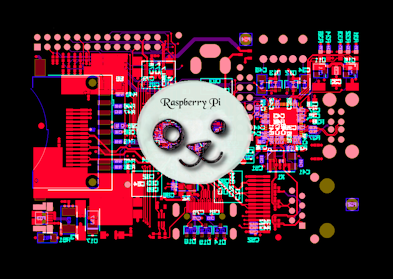
wallpaper available
I made a wallpaper using a picture of the Raspberry pi
circuit board.
Hopefully it will help to promote the computer.
http://www.murga-linux.com/puppy/viewto ... 539#583539
______________________________________________________
circuit board.
Hopefully it will help to promote the computer.
http://www.murga-linux.com/puppy/viewto ... 539#583539
______________________________________________________
Found this link to down load a torrent that maybe of some interest http://thepiratebay.org/torrent/6667294
"The Raspberry Pi is a $25 Linux/ARM computer scheduled to be launched in November 2011. The purpose of Raspberry Pi (the name of both the computer, and the non-profit foundation that designs and sells it) is to help kids get access to computers and learn programming, in schools and the 3rd world, but the Pi (ARM11, 128/256 MB RAM, HDMI, USB...) is powerful enough for a variety of other uses (emulation, NAS, HTPC, Office work...).
More info here: http://www.raspberrypi.org/
FAQ: http://www.raspberrypi.org/?page_id=8
Wiki: http://elinux.org/RaspberryPiBoard
Description of this torrent by the VM's creator:
"VirtualBox Virtual Machine in which I have installed and configured Debian-i386, scratchbox2, qemu and the codesourcery toolchain so that it is possible to build software for the RaspberryPi (although no one actually has one, only a handful of alpha boards are in circulation right now).
This virtual machine should also be usable for other ARM based devices, especially if you have a rootfs and can seed the scratchbox2 environment (see http://russelldavis.org/2010/10/20/sett ... r-zubuntu/ & http://russelldavis.org/2010/11/03/moun ... isk-image/ & http://russelldavis.org/2011/09/07/sett ... pberry-pi/ )."
Please direct your questions/comments either to the VM creator's blog at
http://russelldavis.org/2011/09/10/virt ... velopment/
or to that VM's post on the Raspberry Pi forum at http://www.raspberrypi.org/?page_id=43& ... ic&t=454.0
Comments here won't be closely monitored.
This is version 1.0 ( 2011-09-11) of the VM. "